Mechanical product development requires engineering teams to balance competing objectives: reduce mass while maintaining stiffness, strength, fatigue life, vibration performance and manufacturability. When simulation is used only after geometry is nearly complete, companies may miss important optimization opportunities during concept development.
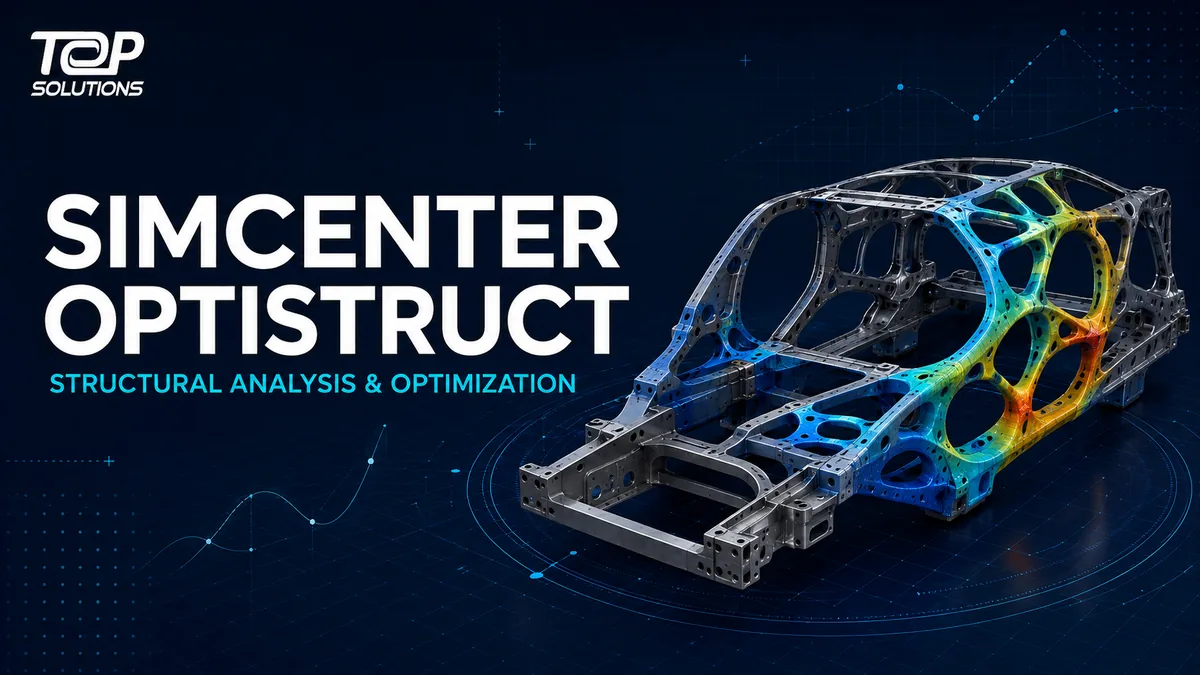
Simcenter™ Optistruct™ software is a finite element analysis and structural optimization solution within the Simcenter portfolio. It combines a structural solver with optimization technology, allowing engineers to use the same model, loads and constraints to assess performance and search for improved design alternatives.
Simcenter Optistruct does more than determine whether a design meets its requirements. It helps engineers investigate where material should be located and how dimensions or shapes could change to satisfy defined targets for mass, stiffness, strength and manufacturability.
What is the new name for Altair OptiStruct?
Following the integration of Altair technologies into the Simcenter portfolio, the official product name changed:
Altair OptiStruct → Simcenter Optistruct
Users may continue to search for the established name “Altair OptiStruct” during the transition. Current technical and commercial content should, however, use Simcenter Optistruct when referring to the Siemens product.
The change places OptiStruct technology within the Simcenter mechanical and manufacturing simulation offering. Organizations can therefore assess structural analysis and optimization in connection with a broader environment for modeling, visualization, simulation and engineering AI.
Is Simcenter Optistruct a solver or an optimizer?
Simcenter Optistruct serves both roles: it is a structural analysis solver and a structural optimizer.
The solver calculates how a structure responds to loads and operating conditions. The optimizer uses design variables, objectives and constraints to search for alternatives that better satisfy the engineering problem.
Because optimization is embedded in the solver, teams can use a consistent model definition, load cases and constraints throughout analysis and optimization. This reduces data handoffs between disconnected tools and preserves a clearer relationship between engineering requirements and design results.
A typical optimization problem may include:
- Design variables: thicknesses, dimensions, shapes, materials or regions that may change
- Objective: reduce mass, increase stiffness or improve another performance measure
- Constraints: stress, displacement, natural frequency, fatigue life or manufacturing limits
- Load cases: operating conditions the product must withstand
- Manufacturing requirements: draw direction, minimum member size, symmetry or other production constraints
Key Simcenter Optistruct capabilities
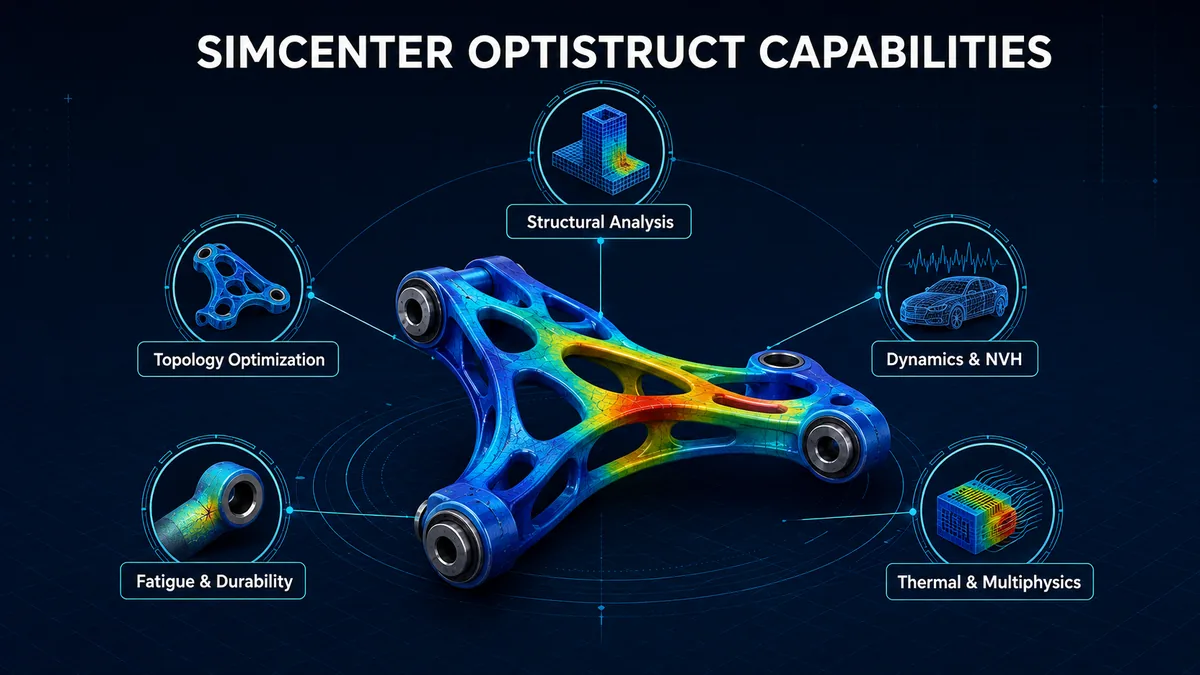
Linear and nonlinear structural analysis
Simcenter Optistruct supports linear and nonlinear structural problems for evaluating stress, strain, displacement, contact and material response. Material models, boundary conditions and solution methods should be selected according to the physical behavior of the product rather than CAD complexity alone.
Topology optimization for concept development
Topology optimization identifies where material should remain or may be removed within a defined design space. It is especially valuable when engineers need to develop a lightweight structural architecture early instead of refining only an existing geometry.
Topology results normally provide engineering direction for the next design iteration; they should not automatically be treated as production-ready geometry. Designers must interpret the result, create appropriate CAD geometry and validate the updated design.
Topography optimization for sheet structures
Topography optimization helps identify the location and pattern of stiffening beads in sheet-metal or stamped components. Objectives may include increasing stiffness, improving vibration behavior or reducing mass without uniformly increasing the thickness of the entire component.
Size, shape and free-shape optimization
Size optimization adjusts parameters such as thicknesses or design dimensions. Shape and free-shape optimization modify boundaries or surface regions to improve stress distribution, mass and other engineering responses.
These methods are particularly relevant during design refinement, when the overall product architecture is established and engineers need to improve specific parameters.
Multi-material and composite optimization
Simcenter Optistruct supports problems involving multiple materials and composite structures. Teams can investigate material distribution, laminate characteristics and alternative structural configurations according to performance and manufacturing requirements.
Dynamics, vibration and NVH
Beyond static analysis, the software supports normal modes, frequency response and transient dynamics. These capabilities contribute to the evaluation of vibration, resonance and structural NVH behavior.
Fatigue and durability
Fatigue analysis helps engineers assess repeated loading and identify areas at risk of durability problems. When combined with optimization, teams can balance lightweighting against durability requirements instead of improving only one performance measure.
Thermal and multiphysics-driven structural analysis
Simcenter Optistruct supports heat transfer and structural problems influenced by thermal or coupled multiphysics behavior. Actual capability availability should be checked against the software release, product configuration and integrated workflow selected by the organization.
Structural analysis and optimization workflow
A Simcenter Optistruct workflow can be organized into five main stages.
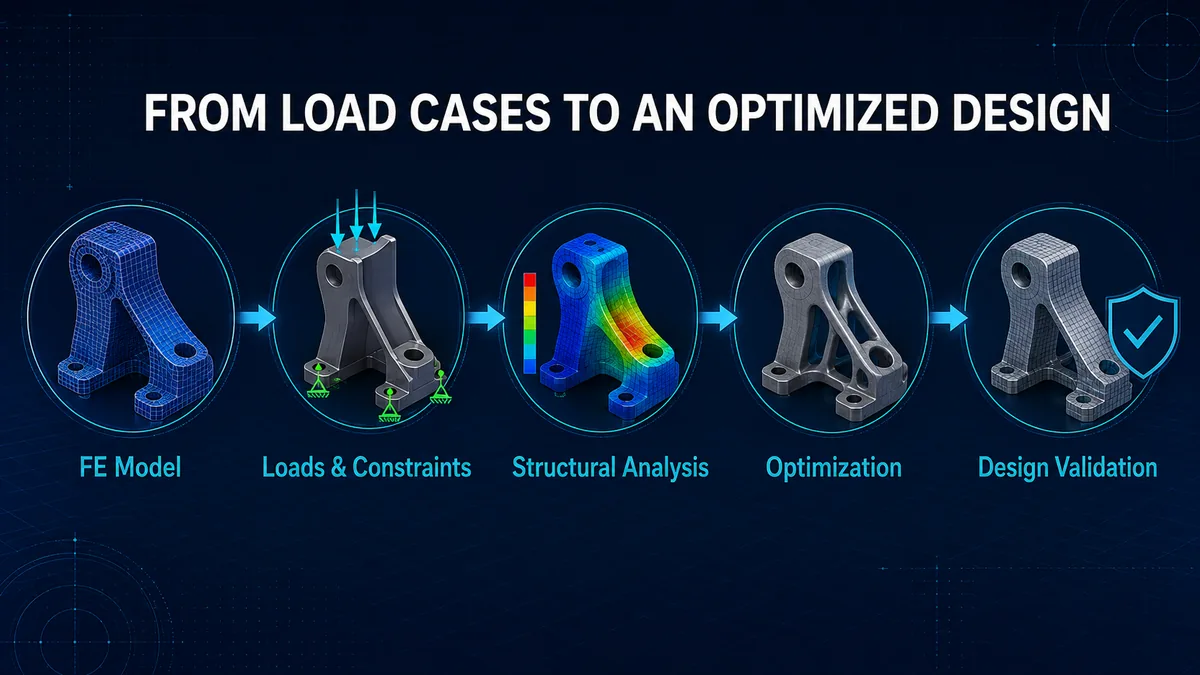
1. Build the finite element model
Engineers prepare geometry, materials, properties, contact definitions and an appropriate mesh. Model quality remains fundamental; optimization cannot compensate for incorrect loads, material data or boundary conditions.
2. Define loads and constraints
Load cases should represent important product operating conditions. Engineers also define the design space, non-design regions, objectives and engineering constraints.
3. Analyze the baseline design
The initial model is solved to review stress, displacement, frequencies, fatigue or other relevant responses. A baseline shows how far the existing design is from the target.
4. Run optimization
The solver changes design variables within their permitted range and evaluates alternatives against the objective and constraints. Engineers should review both convergence and the physical meaning of the results.
5. Interpret and validate the design
Optimization results are converted into designable and manufacturable geometry. The updated model must then be reanalyzed, compared with the baseline and validated appropriately before approval.
Simcenter Optistruct vs. Simcenter Simsolid and Simcenter Hypermesh
The three products contribute to CAE workflows in different ways.
| Product | Primary role | Most relevant when |
|---|---|---|
| Simcenter Simsolid | Structural analysis directly on full-featured CAD without traditional meshing | Rapid early-design feedback and comparison of CAD alternatives are required |
| Simcenter Hypermesh | Simulation modeling, pre-processing and analysis-model creation | Detailed control over geometry, meshing and simulation data is required |
| Simcenter Optistruct | FEA solver with embedded structural optimization | Analysis, lightweighting and objective–constraint design optimization are required |
These tools are not always mutually exclusive choices. Depending on the CAE architecture, a company may use them at different development stages or levels of analysis.
Potential value for manufacturing companies
Reduce mass against engineering requirements
Instead of removing material mainly through experience, optimization evaluates material placement against defined load paths, objectives and constraints. This supports a more controlled lightweighting process.
Explore more design alternatives
Engineers can vary sizes, shapes, materials or topology within a controlled design space. Exploring more alternatives increases the opportunity to identify a stronger concept than validating only one nearly completed design.
Balance multiple engineering targets
A lightweight design may fail stiffness, durability, NVH or manufacturing requirements. Simcenter Optistruct can formulate problems with multiple responses and constraints, making engineering trade-offs more explicit.
Connect analysis with design decisions
Optimization results provide direction for material distribution, dimensions and shape. With an effective interpretation and validation process, CAE data can contribute more directly to design decisions.
Simcenter Optistruct applications
Simcenter Optistruct may be evaluated in industries with demanding mass and structural-performance requirements:
- Automotive and transportation: body structures, chassis, suspension components and NVH
- Aerospace and defense: lightweight structures, composites and dynamics
- Industrial machinery: frames, brackets, housings and load-bearing equipment
- Energy: rotating structures, support systems and thermally loaded components
- Electronics: housings, durability and thermal-structural behavior
- Additive manufacturing: lightweight design direction and high-performance structures
Suitability is not determined by industry alone. A useful optimization problem requires a design space, measurable objectives, engineering constraints and a clear validation process.
Who should evaluate Simcenter Optistruct?
The solution deserves consideration when an organization:
- Needs to reduce product mass without sacrificing strength or stiffness
- Relies heavily on engineering intuition to select structural geometry
- Must evaluate stress, vibration, fatigue or thermal behavior together
- Has multiple load cases and constraints to balance
- Wants optimization to influence product development instead of using simulation only for pass/fail checks
- Develops composite or multi-material structures
- Requires an open solver architecture that can connect with an existing CAE workflow
Direct users commonly include CAE engineers, simulation engineers and structural analysts. Design leads, R&D managers and technical managers may influence the decision, while budget owners should assess licensing, computing infrastructure, training and expected business value.
Evaluation criteria before deployment
Companies should begin with a proof of concept based on a representative engineering problem rather than a generic demonstration.
- Select a component or structure with a clear baseline and engineering requirements.
- Define objectives, design variables, load cases and constraints before starting the optimization.
- Establish comparison criteria such as mass, stiffness, stress, frequency or fatigue life.
- Apply manufacturing constraints so the result can be translated into a practical design.
- Evaluate the complete time from the initial model to a validated design, not solver time alone.
- Define how data, model versions and result-approval responsibilities will be managed.
- Prepare training for model builders, optimization-result interpreters and design approvers.
Top Solutions supports manufacturing companies with CAD/CAM/CAE/PLM consulting, implementation and training. Explore the Top Solutions products and solutions library or visit the Top Solutions English website to discuss a proof of concept based on representative engineering data.
Conclusion
Simcenter Optistruct combines FEA structural analysis with optimization technology, helping engineers evaluate performance, investigate material distribution and improve designs against defined objectives and constraints.
Its value does not come from automatically producing a final optimized shape that can be sent directly to manufacturing. Practical value depends on a controlled workflow: build the correct model, formulate the right optimization problem, interpret the result and validate the final design.
For companies seeking lighter, stronger and higher-performing structures, a proof of concept based on real product data is the appropriate starting point for evaluating Simcenter Optistruct before wider deployment.