What Is Simcenter STAR-CCM+? Multiphysics CFD Simulation Software
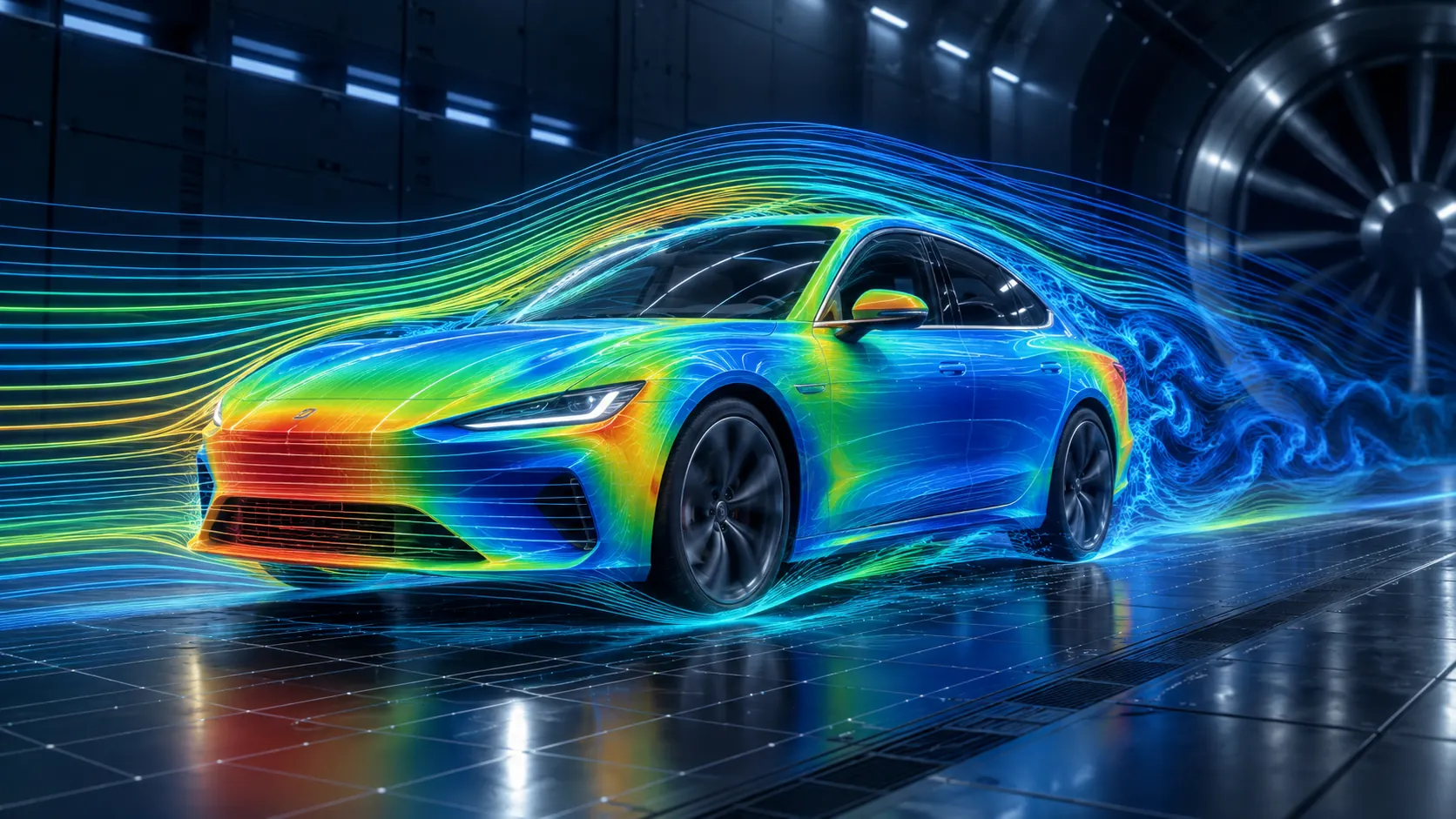
Fluid flow rarely exists as an isolated phenomenon in a real engineering product.
Temperature changes affect materials and system performance. Fluids transfer heat. Moving air or liquid applies loads to structures. Gas, liquid, particles, chemical reactions and moving components may all interact within the same engineering problem.
This is why industrial CFD increasingly extends beyond predicting velocity and pressure.
Simcenter STAR-CCM+ is Siemens’ multiphysics computational fluid dynamics software for modeling, solving and evaluating complex fluid-flow and related physical phenomena within an integrated simulation environment.
It supports engineering workflows involving aerodynamics, heat transfer, multiphase flow, particle dynamics, reacting flows, thermal management, fluid-structure interaction and other multiphysics applications.
Companies evaluating the broader Siemens simulation portfolio can also explore Siemens Simcenter software and engineering simulation solutions.
What is Simcenter STAR-CCM+?
Simcenter STAR-CCM+ is an integrated multiphysics CFD environment designed to predict how products perform under real operating conditions.
A STAR-CCM+ workflow can bring together activities that might otherwise require several disconnected engineering tools:
- Geometry preparation
- Meshing
- Physics setup
- Boundary-condition definition
- CFD solving
- Results analysis and visualization
- Workflow automation
- Design exploration
The software is not limited to basic single-phase fluid flow.
Its simulation environment supports complex engineering problems involving fluid flow, thermal behavior, multiple phases, particles, reacting flows and interactions between physical domains.
CAD → Geometry Preparation → Mesh → Physics Setup → Solver → Results → Engineering Decision
Keeping these stages within an integrated workflow can reduce unnecessary data handoffs and make simulation processes easier to standardize and repeat.
Why use CFD in product development?
Computational Fluid Dynamics, or CFD, uses numerical methods to predict fluid behavior and related physical phenomena.
Physical testing remains essential in engineering development, but prototypes alone may not provide enough time or flexibility to evaluate every promising design.
CFD provides another source of engineering information before hardware is finalized.
Engineers can investigate questions such as:
- How does air or liquid move through the product?
- Where are high-pressure or high-loss regions located?
- Does flow separate from important surfaces?
- How effectively is heat removed?
- How does performance change at different operating conditions?
- What happens when the geometry changes?
The value of CFD does not come from producing colorful contour plots.
Results become useful when the geometry, mesh, physical models, boundary conditions and assumptions represent the engineering problem with an appropriate level of fidelity.
Key Simcenter STAR-CCM+ capabilities
1. Fluid-flow simulation
Simcenter STAR-CCM+ supports CFD workflows for a broad range of fluid-flow applications.
Engineers can investigate velocity, pressure, pressure loss, recirculation, aerodynamic forces and other characteristics of internal and external flows.
Typical applications include:
- Vehicle aerodynamics
- Aircraft and UAV aerodynamics
- Pipe and duct flows
- HVAC systems
- Pumps and fans
- Valves and manifolds
- Cooling systems
2. Heat transfer and thermal management
Thermal behavior is frequently coupled with fluid motion.
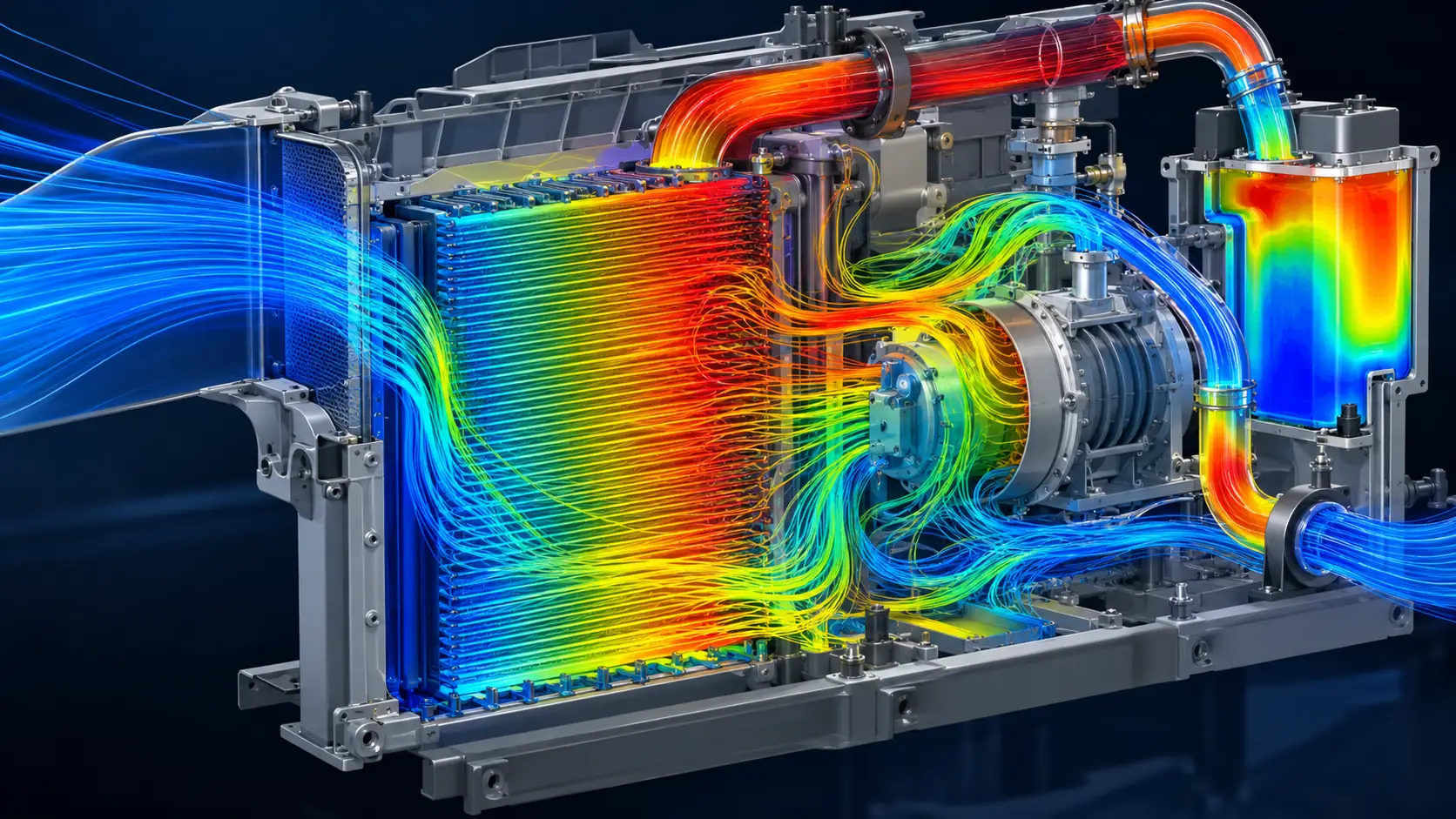
Simcenter STAR-CCM+ enables engineers to evaluate heat transfer between fluids, surfaces and solid domains.
Typical problems include:
- Electronics cooling
- Battery thermal management
- Heat exchangers
- Powertrain cooling
- Vehicle thermal management
- HVAC
- Industrial thermal-fluid systems
Instead of reviewing temperature only at several isolated measurement points, engineers can study the complete thermal field and its interaction with the surrounding fluid flow.
3. Multiphase flow
Many industrial fluid systems contain more than one phase.
Examples include:
- Gas and liquid
- Bubbles in liquids
- Droplets in gas streams
- Free surfaces
- Particle-laden flows
- Mixing processes
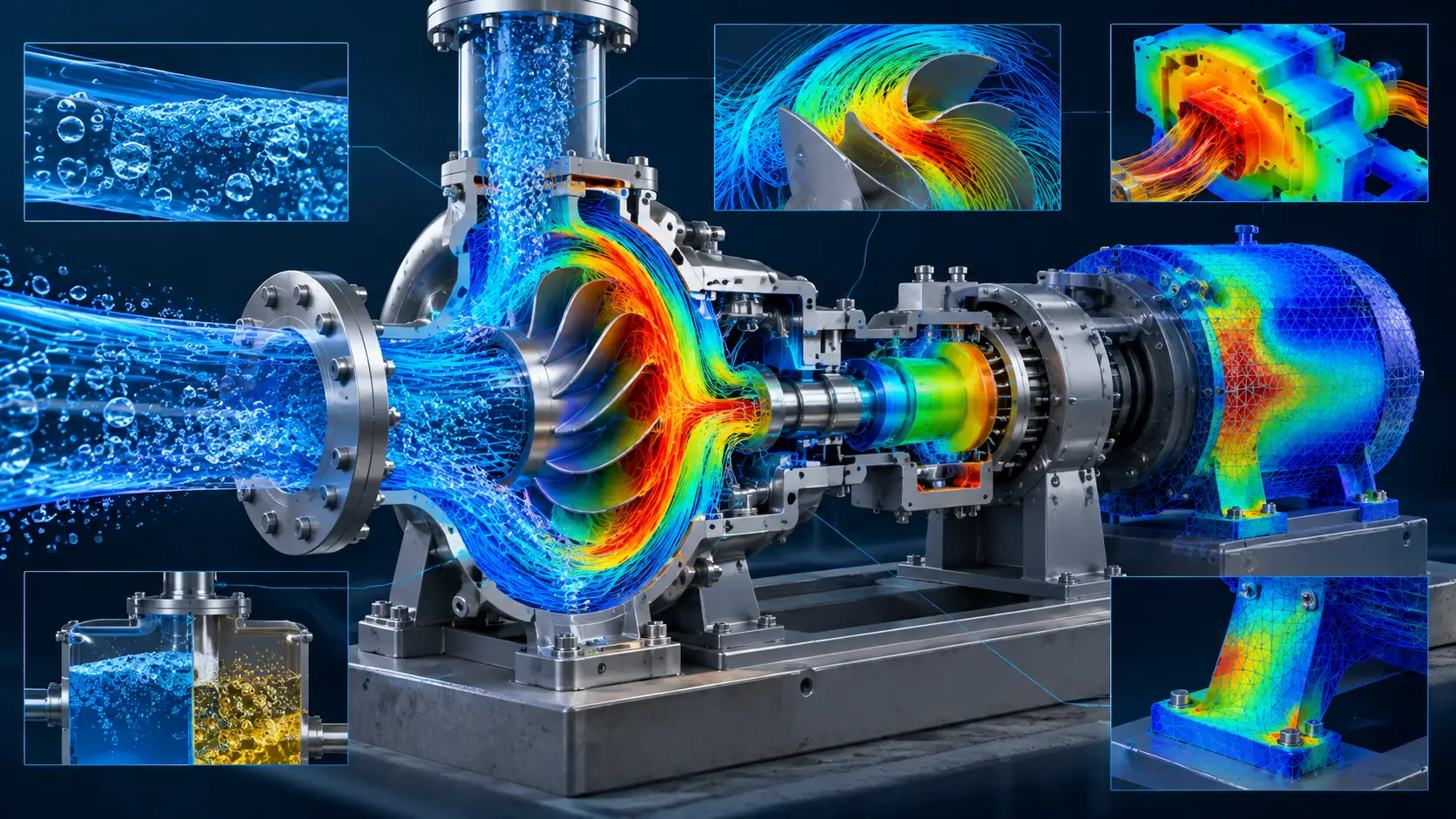
STAR-CCM+ provides multiple approaches to multiphase CFD so engineers can select a model that reflects the underlying physical behavior of the application.
These capabilities are relevant to automotive, marine, process, energy and other industries where phase interaction strongly affects product performance.
4. Particle dynamics
Some engineering flows contain particles, droplets or other discrete material.
Engineers may need to predict both the surrounding flow field and how discrete elements move through it.
Applications can include:
- Sprays
- Particle transport
- Powder handling
- Separation
- Material processing
- Combustion systems
Coupling particle behavior with CFD provides greater insight into systems where a continuous fluid and discrete material interact.
5. Combustion and reacting flows
Flow simulation alone is not sufficient when chemical reactions influence system performance.
Engineering teams may need to investigate:
- Fuel-air mixing
- Temperature distribution
- Reaction zones
- Combustion behavior
- Species transport
- Emission-related quantities
These workflows are relevant to engines, turbines, energy systems and industrial equipment involving combustion or chemical reactions.
6. Fluid-structure interaction
A fluid can apply forces to a structure while structural deformation can alter the surrounding flow field.
This creates a fluid-structure interaction, or FSI, problem.
Potential applications include:
- Aerodynamically loaded surfaces
- Flexible valves and membranes
- Structures exposed to fluid pressure
- Systems in which deformation affects flow
When the interaction is significant, multiphysics simulation provides a more realistic engineering representation than treating the disciplines as completely independent.
7. Moving and rotating systems
Many fluid systems include moving components.
Examples include:
- Fans
- Pumps
- Turbomachinery
- Rotors
- Rotating machinery
- Vehicles moving through fluids
Motion modeling allows engineers to evaluate how changing geometry and movement influence transient fluid behavior.
8. Electromagnetics and e-motor multiphysics
Electrified products increasingly require interaction between engineering disciplines.
An electric motor provides a useful example.
Electromagnetic losses generate heat, temperature affects performance, and cooling-system behavior determines whether acceptable operating conditions can be maintained.
Connected multiphysics workflows allow engineering teams to evaluate these interactions at a system level rather than optimizing every discipline independently.
Meshing in Simcenter STAR-CCM+
Mesh quality and resolution have a direct influence on CFD accuracy and computational cost.
A useful mesh needs sufficient resolution in important regions while avoiding unnecessary cell count elsewhere.
STAR-CCM+ integrates geometry preparation and meshing within the simulation environment.
Engineering teams can create reusable meshing strategies and apply consistent modeling rules across similar products or design variants.
This is particularly useful when organizations want CFD processes to become repeatable rather than dependent on a different manual setup for every project.
CFD workflow automation
Repeatability is a major concern when CFD moves from occasional specialist studies to regular product development.
If geometry preparation, meshing, reporting and result extraction are performed differently by every engineer, maintaining process quality becomes difficult.
STAR-CCM+ supports automation across simulation workflows.
A repeatable process might follow:
Import Geometry → Prepare → Mesh → Apply Physics → Solve → Extract KPI → Compare Designs
Automation becomes especially valuable when a company repeatedly evaluates similar products or large numbers of design variants.
Design exploration with CFD
A single CFD simulation answers one question:
How does this design perform?
Design exploration adds another:
What happens when the design changes?
Parameters may include:
- Geometry dimensions
- Component positions or angles
- Flow rate
- Pressure
- Temperature
- Operating conditions
Multiple configurations can then be compared using defined engineering KPIs.
This moves simulation from a final verification activity toward a more active role in product development.
AI and GPU acceleration in Simcenter STAR-CCM+
Recent STAR-CCM+ releases show two important development directions: faster simulation and greater use of simulation data through AI.
GPU acceleration can reduce turnaround time for supported workflows and increase simulation throughput when organizations need to analyze large models or many design alternatives.
Geometric Deep Learning and related AI capabilities offer another route for using existing simulation data to generate rapid performance predictions.
AI does not automatically replace high-fidelity CFD.
Instead, CFD can provide trusted training and reference data, while AI-based models can help teams investigate broader design spaces with much faster prediction times.
A practical STAR-CCM+ CFD workflow
A reliable CFD project does not begin by simply pressing the Run button.
It should begin with an engineering question.
1. Define the engineering objective
Examples include:
- Drag coefficient
- Pressure drop
- Maximum temperature
- Cooling performance
- Flow uniformity
- Mixing performance
2. Prepare the geometry
CAD data should be reviewed according to the needs of the CFD model.
Manufacturing details that do not affect the relevant physics may unnecessarily increase geometry and meshing complexity.
3. Create the computational mesh
Mesh size and refinement are selected based on the flow field, boundary layers, geometric detail and required accuracy.
4. Select the physical models
Depending on the application, engineers may need to configure:
- Turbulence
- Heat transfer
- Multiphase flow
- Species transport
- Combustion
- Particles
- Motion
- Multiphysics coupling
5. Define boundary and operating conditions
Inputs should represent the real operating condition or the engineering scenario being investigated.
6. Evaluate convergence and solution quality
A simulation should not be accepted merely because the solver stopped.
Residuals, monitors, conservation, mesh sensitivity and engineering KPIs should be reviewed together.
7. Validate the model
When reliable test data, benchmarks or validated baselines exist, CFD predictions should be compared with them.
Validation establishes confidence in how the model may be used for engineering decisions.
Where is Simcenter STAR-CCM+ used?
Automotive and transportation
Typical use cases include:
- Vehicle aerodynamics
- Underhood airflow
- Vehicle thermal management
- Cabin thermal comfort
- Battery cooling
- Water management
Aerospace
Applications include external aerodynamics, propulsion, thermal management and other complex airflow problems around flight vehicles.
Energy
CFD can be used to evaluate fluid flow, heat transfer and performance in turbines, heat exchangers and complex energy systems.
Electronics
Increasing power density makes thermal management a major product-development concern.
CFD allows teams to study airflow, heat dissipation and cooling concepts before a complete physical prototype is available.
Industrial machinery
Pumps, fans, compressors, valves, piping and process equipment are common candidates for CFD analysis.
Marine
Free-surface behavior, resistance, propulsion and vehicle-water interaction can be evaluated using appropriate CFD methods.
Simcenter STAR-CCM+ vs. Simcenter FLOEFD
Both products can address CFD problems, but their primary workflows differ.
Simcenter STAR-CCM+ is designed for advanced CFD and multiphysics applications that require deeper control over physics, meshing, solvers, automation and scalable computing.
Simcenter FLOEFD emphasizes CAD-embedded CFD and allows design engineers to perform fluid and thermal analysis close to the CAD development environment.
The correct choice depends on factors such as:
- Physics complexity
- Primary users
- Existing CAD workflow
- Required mesh and solver control
- Automation needs
- HPC or GPU requirements
- Typical model size
Simcenter STAR-CCM+ vs. Simcenter 3D
Simcenter STAR-CCM+ has a strong focus on CFD and fluid-related multiphysics, including thermal behavior and coupled phenomena.
Simcenter 3D is a broader multidisciplinary CAE environment with strong structural, dynamics, acoustics, thermal and other simulation workflows built on the NX technology platform.
Engineering organizations may use both technologies at different stages rather than expecting one application to replace every specialized solver.
Explore the complete Simcenter simulation portfolio
for a broader view of available technologies.
Who should evaluate Simcenter STAR-CCM+?
STAR-CCM+ may deserve evaluation when an organization:
- Relies heavily on CFD during product development
- Needs to simulate multiple physical phenomena together
- Works with increasingly large or complex CFD models
- Needs to explore many design variants
- Wants to standardize and automate CFD processes
- Requires HPC or GPU computing
- Needs to combine flow with thermal, particles, multiphase or other disciplines
Typical stakeholders include:
- CFD engineers
- Simulation engineers
- Thermal engineers
- CAE engineers
- Mechanical engineers
- R&D engineers
- Engineering managers
- Technical managers
How should a company evaluate STAR-CCM+?
A representative Proof of Concept generally provides more useful evidence than a generic product demonstration.
The evaluation can include:
- Select a real product or assembly
- Define engineering KPIs
- Identify available test data or a baseline
- Build the CFD workflow
- Assess geometry-preparation and meshing effort
- Review convergence behavior
- Evaluate physics coverage
- Compare simulation results with the baseline
- Measure computational turnaround time
- Assess automation and scaling potential
The objective is to answer a practical business question:
Can STAR-CCM+ improve the speed, repeatability or scope of the organization’s current CFD process?
Simcenter STAR-CCM+ consulting in Vietnam
Top Solutions provides CAD/CAM/CAE/PLM solutions and engineering software consulting for manufacturing companies in Vietnam.
Organizations evaluating STAR-CCM+ can discuss:
- Current CFD applications
- Fluid and thermal simulation requirements
- Multiphysics requirements
- CAD input data
- Typical mesh sizes
- CPU, GPU and HPC infrastructure
- Workflow automation
- Licensing and deployment
- User training
- Proof-of-Concept projects
Evaluating a real CFD or multiphysics engineering problem?
Frequently asked questions about Simcenter STAR-CCM+
What is Simcenter STAR-CCM+?
Simcenter STAR-CCM+ is Siemens’ multiphysics CFD software for simulating fluid flow, heat transfer and other coupled physical phenomena within an integrated environment.
Is STAR-CCM+ only a CFD tool?
CFD is central to STAR-CCM+, but the platform extends into heat transfer, multiphase flow, particle dynamics, reacting flows, FSI and other multiphysics workflows.
Does Simcenter STAR-CCM+ support heat-transfer simulation?
Yes. Thermal and heat-transfer simulation are important STAR-CCM+ applications, including electronics cooling, battery thermal management, automotive and industrial thermal-fluid systems.
Does STAR-CCM+ support GPU acceleration?
Yes. Recent releases continue to expand GPU-accelerated simulation capabilities to increase throughput and reduce turnaround time for supported CFD workflows.
Can STAR-CCM+ simulate multiphase flow?
Yes. STAR-CCM+ provides multiple multiphase modeling approaches for problems involving gases, liquids, free surfaces, droplets, particles and interaction between phases.
Which industries use STAR-CCM+?
Applications are common in automotive, aerospace, energy, marine, electronics, industrial machinery and other industries requiring fluid, thermal or multiphysics simulation.
What is the difference between STAR-CCM+ and FLOEFD?
STAR-CCM+ is generally oriented toward advanced multiphysics CFD workflows, while FLOEFD emphasizes CAD-embedded fluid and thermal simulation for design-centered workflows.
How should a company start evaluating STAR-CCM+?
A practical starting point is a Proof of Concept using representative product geometry, engineering KPIs and existing test or simulation baseline data.
Conclusion
Simcenter STAR-CCM+ is more than a tool for generating fluid-flow visualizations.
Its value comes from integrating geometry preparation, meshing, CFD, thermal and multiphysics modeling, automation and design exploration within a connected engineering workflow.
For companies dealing with products where flow, temperature, multiple phases, particles or other physical domains interact, a well-constructed simulation model can provide engineering insight before significant investment is made in physical prototypes.
The effectiveness of CFD still depends on correct problem definition, input data, mesh quality, physical models and validation.
Rather than beginning with the question, “How many features does STAR-CCM+ have?”, a more useful starting point is:
Which engineering problem is slowing product development, and what information does simulation need to provide to solve it?
Learn more about Simcenter software
and the Top Solutions engineering portfolio.